February 2026: Drag-and-Drop Maintenance, Vendor Dispatch with RFP, and More

We've got some cool updates to share this month, including a few features that came directly from user requests. Here's what's new.
Drag-and-Drop Maintenance Board
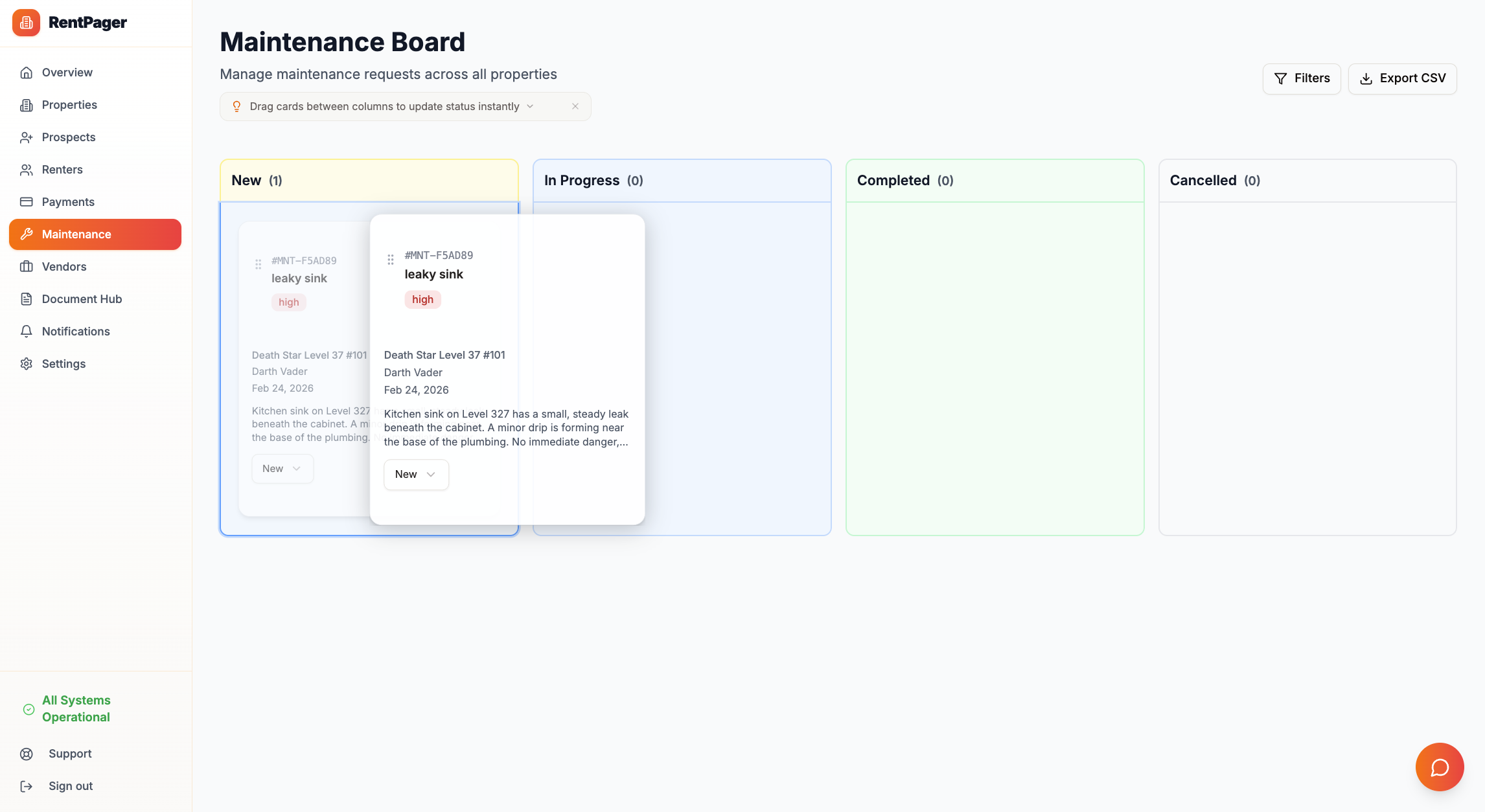
The maintenance board is now a full Kanban-style drag-and-drop experience. Grab any ticket and move it between columns — Open, In Progress, Completed, Cancelled — and the status updates instantly. No more dropdowns, no more clicking through menus.
Each card still shows the property, description, photo uploads, and comment thread. But now reorganizing your workload is as fast as dragging a card from one column to the next. You can also click into any card for the full detail view, same as before.
Why This Matters
If you're managing 10+ units, you probably have a dozen maintenance items in flight at any time. The old list view worked, but it forced you to process tickets one at a time. The board gives you the full picture at a glance — what's waiting, what's in progress, and what's done.
Vendor Dispatch with RFP Workflow
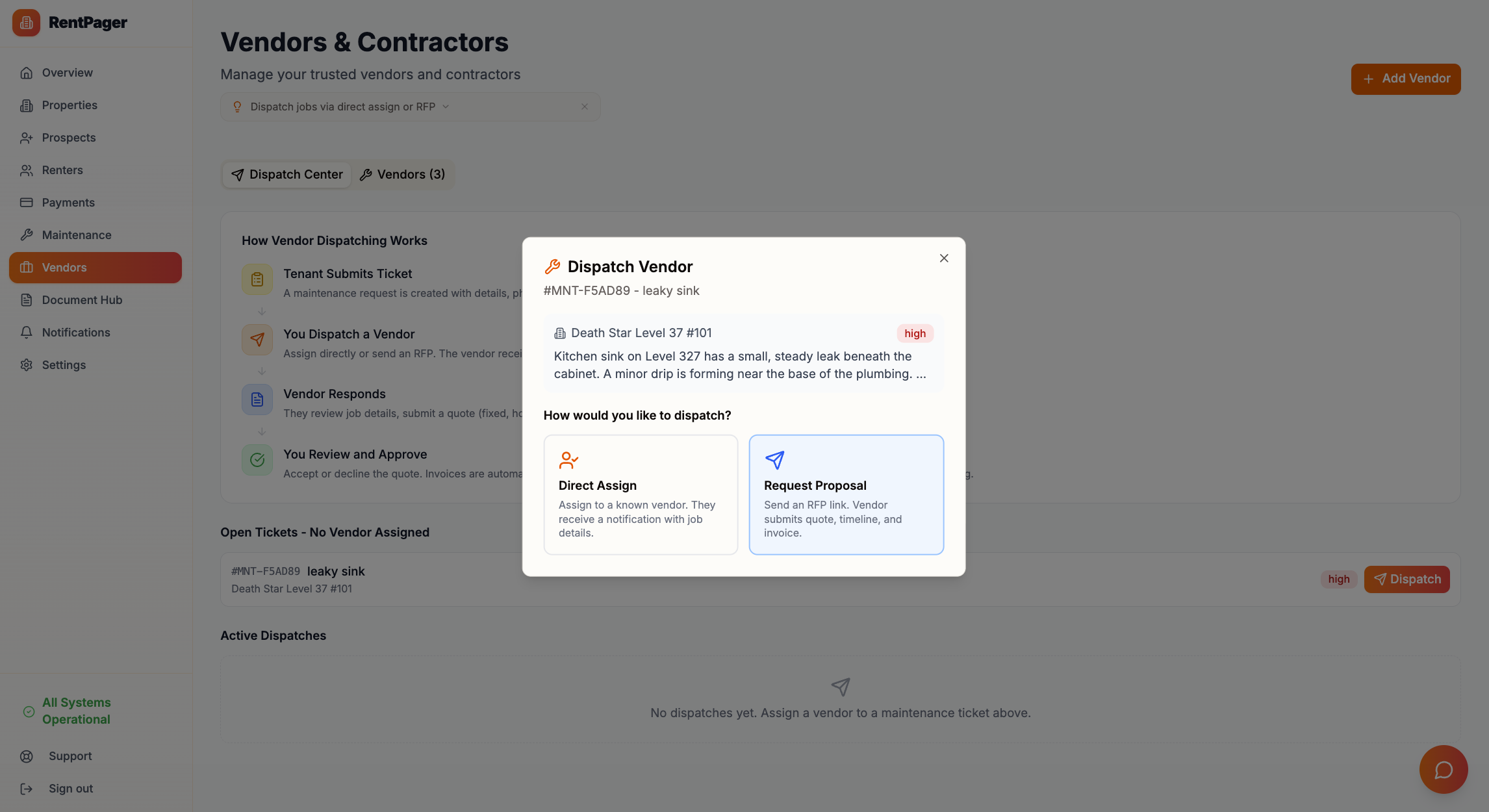
This is the feature landlords have been asking about most. When a maintenance request comes in, you can now dispatch it to a vendor in two ways:
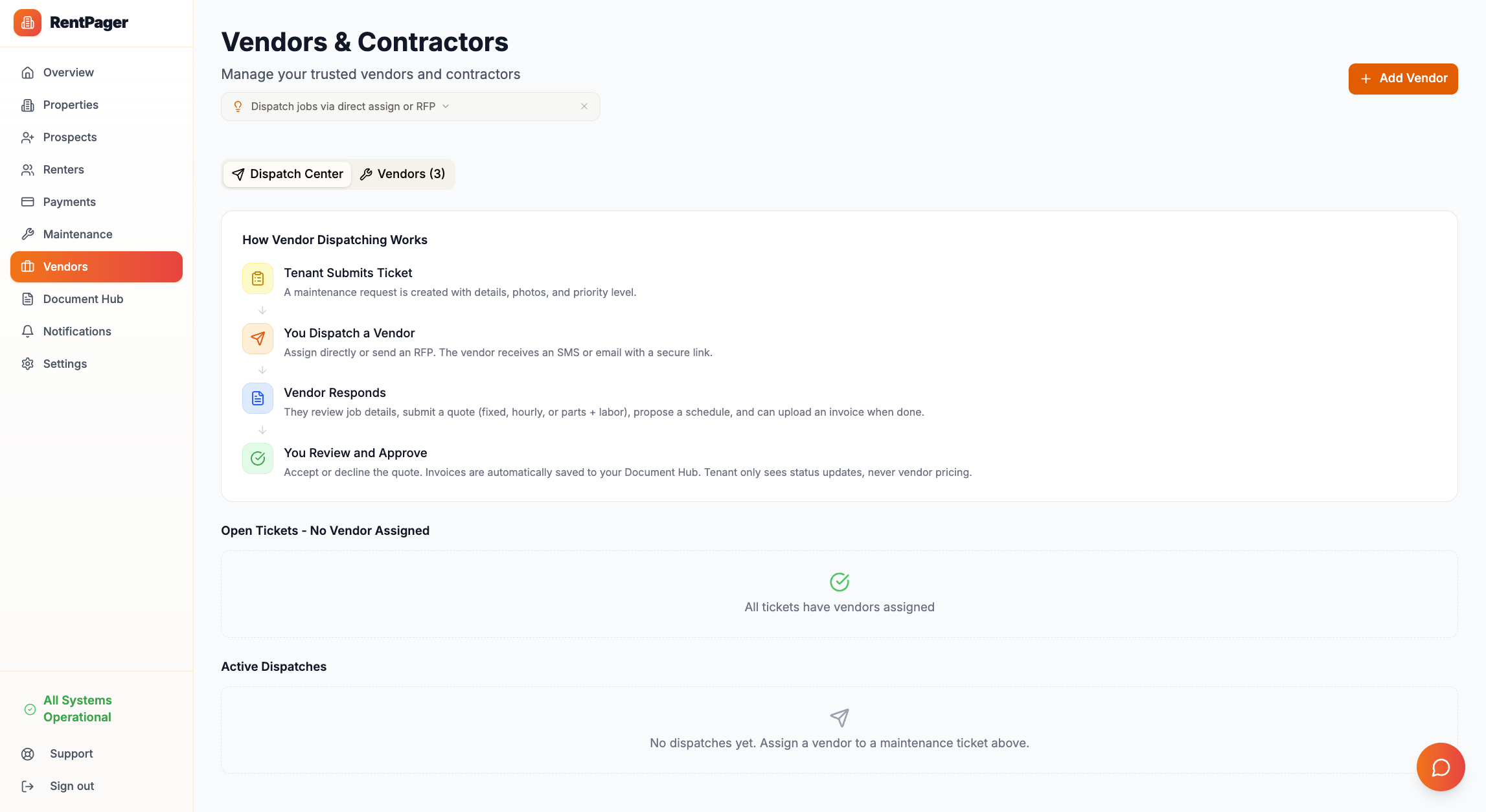
Direct Assign
Pick a vendor from your list, choose SMS or email delivery, and they get a notification with the job details. Simple, fast, done. Use this when you already know who you want on the job.
Request for Proposal (RFP)
Send the job details to one or more vendors and let them compete. Vendors receive a secure link to a Vendor Portal where they can:
- View the job details (property address, issue description, photos) — but never tenant personal information
- Submit a quote with amount, quote type (fixed, hourly, or parts & labor), and a proposed schedule date
- Request more information if the job description isn't clear enough
- Upload invoices after the work is completed
All quotes, messages, and invoices flow back into your RentPager dashboard automatically. You compare proposals side-by-side and accept the one that works.
Privacy by Design
Vendors see only what they need: the property address, issue details, and photos. They never see tenant names, phone numbers, or email addresses. Invoices uploaded by vendors are stored as `landlord_private` documents — visible only to you, never to tenants.
Vendor Portal
The vendor portal is a standalone page that works without a RentPager account. Vendors click the link from their SMS or email, and they land on a clean, mobile-friendly page where they can take action. No app downloads, no sign-ups, no friction.
The portal supports three main actions:
1. Submit Quote — Enter an amount, select the quote type, pick an available date
2. Request Info — Ask the landlord a clarifying question
3. Upload Invoice — Attach a PDF or image of the completed work invoice
Every action triggers a notification back to you so you're always in the loop.
Selective Notification Controls
You can now choose exactly who receives notifications. Instead of blasting every tenant with every message, you can:
- Select specific recipients when sending broadcasts
- Toggle notification preferences per renter for rent reminders
- Control SMS vs. email delivery on a per-contact basis
This was a frequently requested feature from landlords who manage properties with multiple contacts per unit — for example, a primary renter and their spouse or roommate.
Occupant Roles: Roommates, Spouses, and Co-Occupants
This one came directly from user feedback (more on that below). Previously, if you had a roommate or spouse living in a unit alongside the primary renter, the only workaround was adding them as a second renter with $0 rent. That worked, but it looked weird — they'd show up as owing nothing, get confusing notifications, and clutter your payment tracking.
Now there's a proper Occupant role. When linking a person to a property, you can choose:
- Primary Renter — The person responsible for rent. Their name and amount appear on all rent-related communications.
- Occupant — A roommate, spouse, family member, or anyone else living in the unit who isn't the primary rent payer.
How Occupants Work
Occupants are excluded from rent tracking, payment recording, and revenue calculations entirely. They never appear as owing anything. But they can still:
- Receive broadcasts — Property-wide messages go to everyone, including occupants
- Opt in to rent reminders — If enabled, the reminder references the primary renter's name and amount, not the occupant's. For example: *"Hi Sarah, this is a reminder that rent of $1,800 for 123 Oak St is due on the 1st. The primary account holder is John Smith."*
- Submit maintenance requests — Occupants live there too, so they should be able to report issues
The occupant role shows up with a purple badge across the dashboard — on the renters page, in broadcast recipient lists, and in the alert dialog. When recording a payment, occupants are automatically filtered out since they don't owe rent.
Why This Matters
For landlords managing units with couples, roommates, or multi-generational households, this is a much cleaner model. Everyone who lives in the unit is in the system, gets the messages they need, and nobody gets confused about who owes what.
In-Page Guide Tips
Every major dashboard page now has a small, collapsible tip at the top that explains the workflow for that page. First-time users see a one-liner like "Drag cards between columns to update status instantly" with a chevron to expand for more detail. It's dismissable — once you close it, it stays hidden.
The tips cover:
- Renters — How primary renters vs. occupants work
- Maintenance — Drag-and-drop column workflow and dispatch
- Vendors — Direct assign vs. RFP and how the vendor portal works
- Alerts — How scheduled reminders, occupant opt-in, and custom alerts work
- Payments — Why only primary renters show up in payment recording
These are intentionally minimal — a single line when collapsed, 3-4 bullets when expanded, and they never reappear once dismissed. They won't clutter the mobile experience.

Document Hub Upgrades
The document hub now supports invoice management as a first-class feature. Vendor invoices uploaded through the portal automatically appear in your documents section, tagged with the associated maintenance request and vendor. You can filter by document type, search by vendor name, and download everything in one place.
AI-Ready API Expansion
If you're using RentPager's API with ChatGPT or Claude (see our [agent setup guide](/blog/create-property-management-agent)), the new vendor and dispatch endpoints are already available:
- `GET /api/ai/vendors` — List all your vendors
- `GET /api/ai/vendor-dispatches` — View dispatch history
- `POST /api/ai/vendor-dispatches` — Create a new dispatch
Ask your AI assistant things like "Send an RFP for the kitchen faucet repair to all plumbers" and it'll handle the rest.
SEO and AI Discoverability
Behind the scenes, we've made RentPager more discoverable for both search engines and AI:
- Updated structured data (JSON-LD) across all pages with the new feature set
- Added `llms.txt` — the emerging standard for AI agents to understand a website
- Explicit crawler rules for GPTBot, ChatGPT-User, Claude-Web, and Anthropic-AI
- Expanded comparison pages vs. AppFolio, Buildium, and spreadsheets to highlight vendor dispatch and drag-and-drop as key differentiators
Shoutout: Ryan V
We want to give a special shoutout and a huge thank you to Ryan V for his input on this release. Ryan jumped in and started giving feedback right away, and his input directly shaped several of the features in this update — from the way vendor dispatch notifications work, to the granularity of the notification controls, to the entire occupant role system. The occupant feature exists because Ryan flagged the $0 renter workaround as confusing, and he was right.
Ryan, the entire RentPager team appreciates you. Your willingness to dig in, report edge cases, and push us to think harder about the real landlord experience has made this product meaningfully better for everyone. Much love from the whole team.
If you're a RentPager user and you have ideas for what we should build next, we're always listening. Hit us up at [support@rentpager.com](mailto:support@rentpager.com) or drop us a message from the dashboard.
What's Next
We're already working on the next wave of features:
- Online rent collection — The most-requested feature, coming soon
- Lease e-signatures — Sign leases digitally from your phone
- Vendor ratings and reviews — Rate vendors after jobs are completed
- Maintenance analytics — Track average resolution time, cost per unit, and vendor performance
Stay tuned, and thanks for building with us.
The RentPager Team